Your engineers touch the SDK once. Everyone else works here — a browser tab where you set what you charge for, watch it get used, and answer any billing question on the spot. No releases. No database. No waiting on engineering.
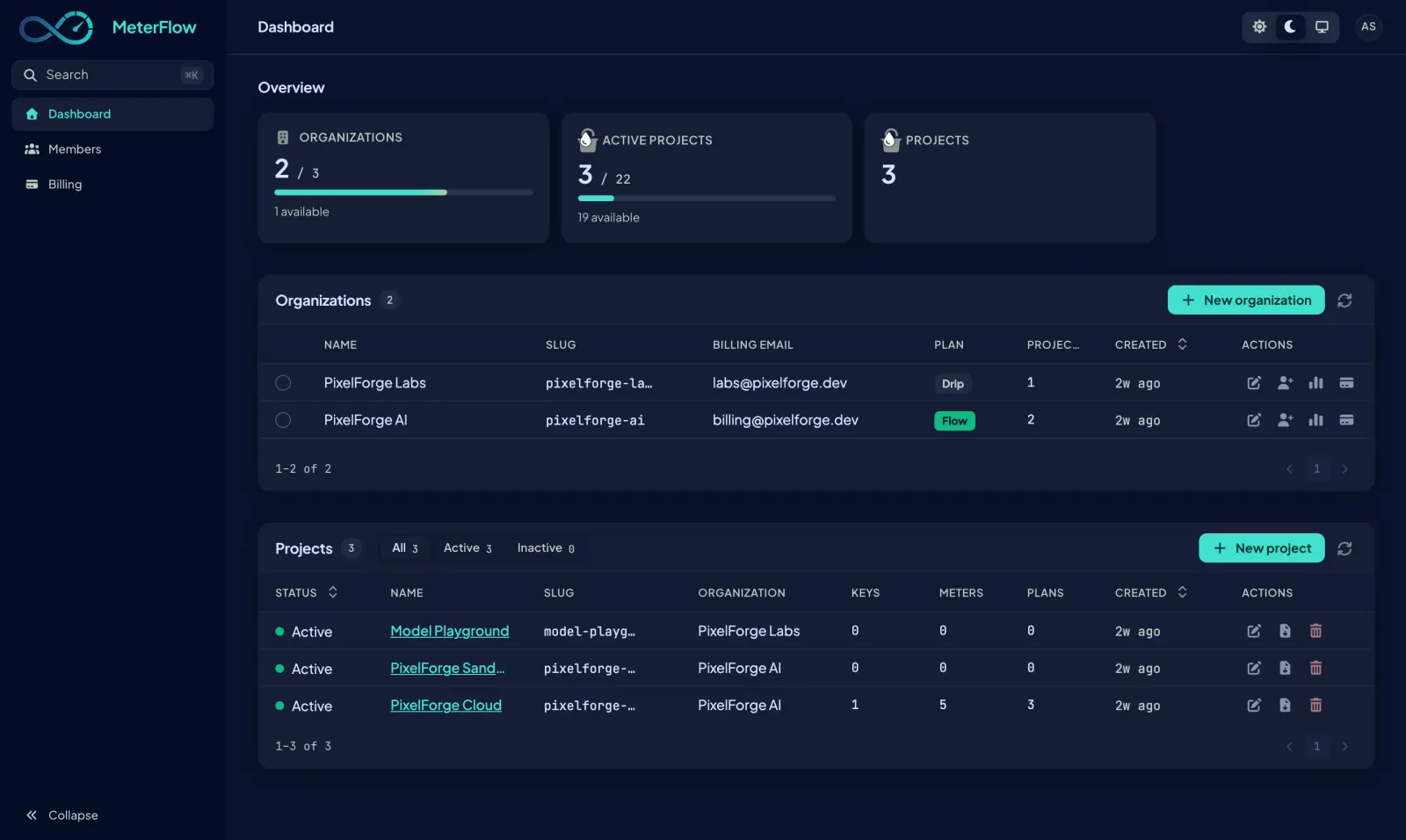
Usage-based pricing lives or dies on small, frequent adjustments — a price here, a limit there, a goodwill credit for a customer who had a bad day. If every one of those needs an engineer, they stop happening.
Create a plan, change what is included, retire an old tier — it is live the moment you save it.
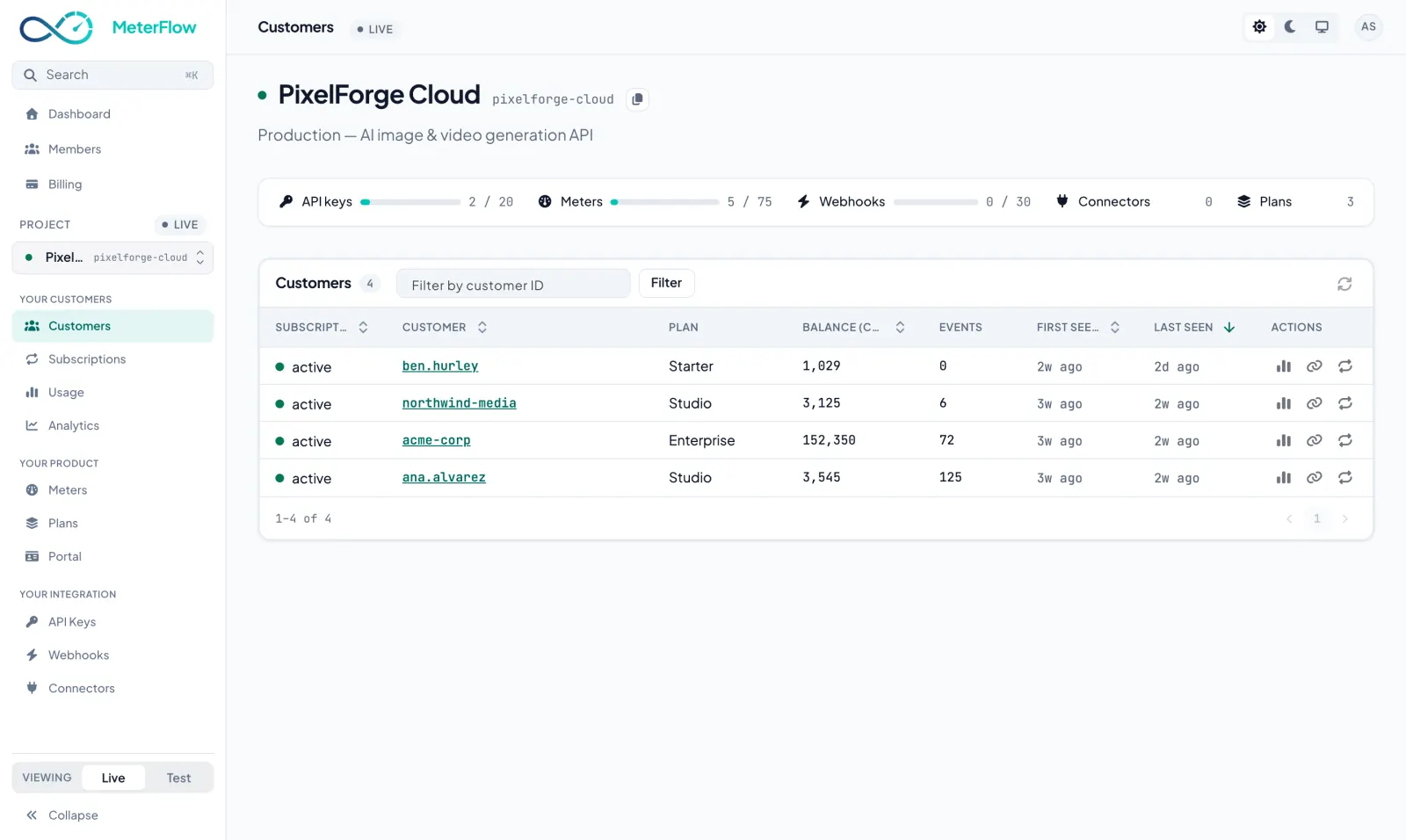
Type a customer’s name and read their whole story: balance, history, and the reason for every line.
Invite colleagues as admin, member or viewer. The person who checks balances cannot change your prices.
Sign in and the home screen lays it out: your organisations and a project for each product you meter. Every project carries live and test API keys — test traffic lives in its own sandboxed dataset, so experiments never touch real money.
When you are here: your first day, when a teammate joins, and every time you start something new.
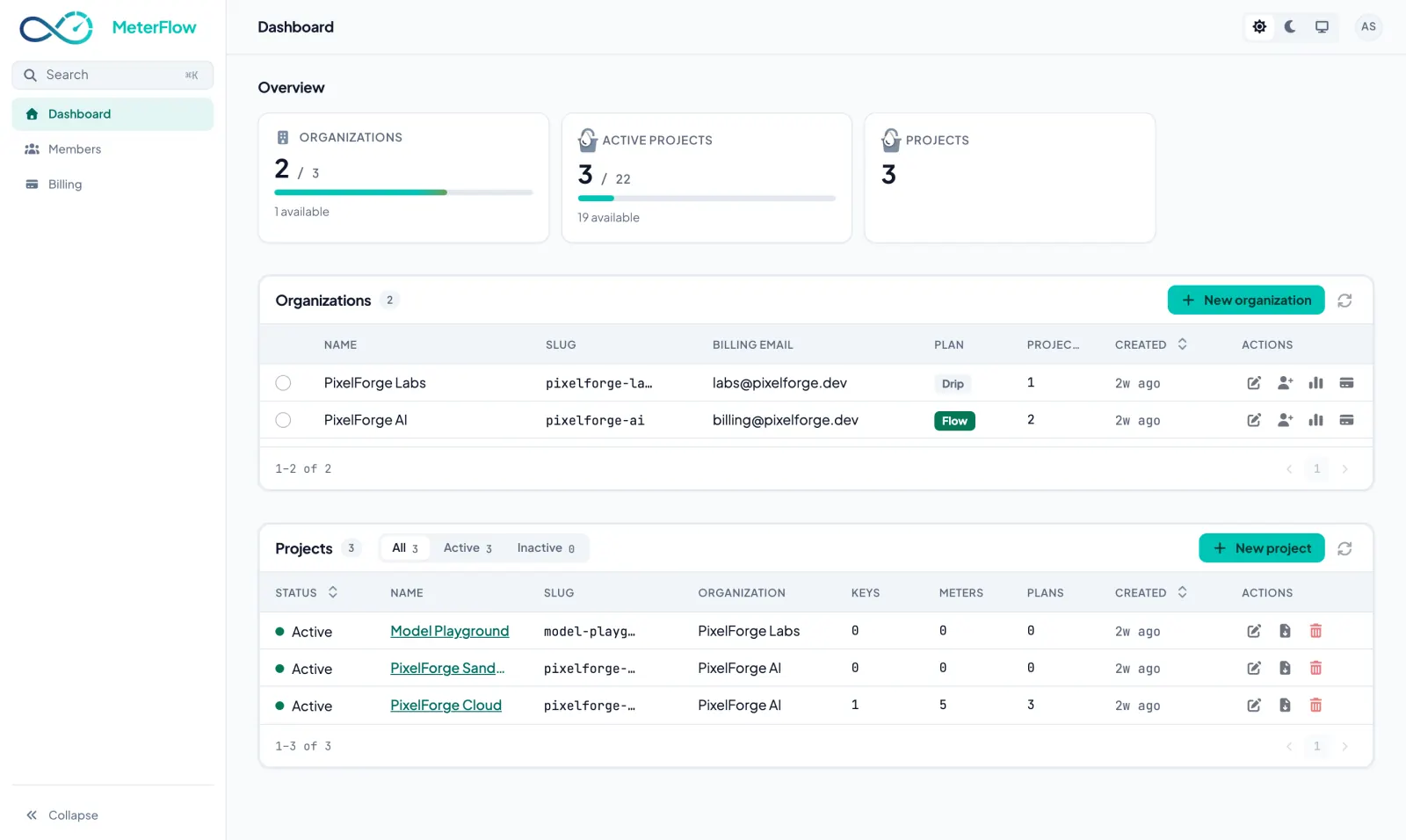
Open a project and you get its map: how many keys, meters and plans it has, and a door into each. If a number looks wrong anywhere in your billing, this is where the walk starts.
When you are here: orienting yourself — usually on the way to somewhere else.
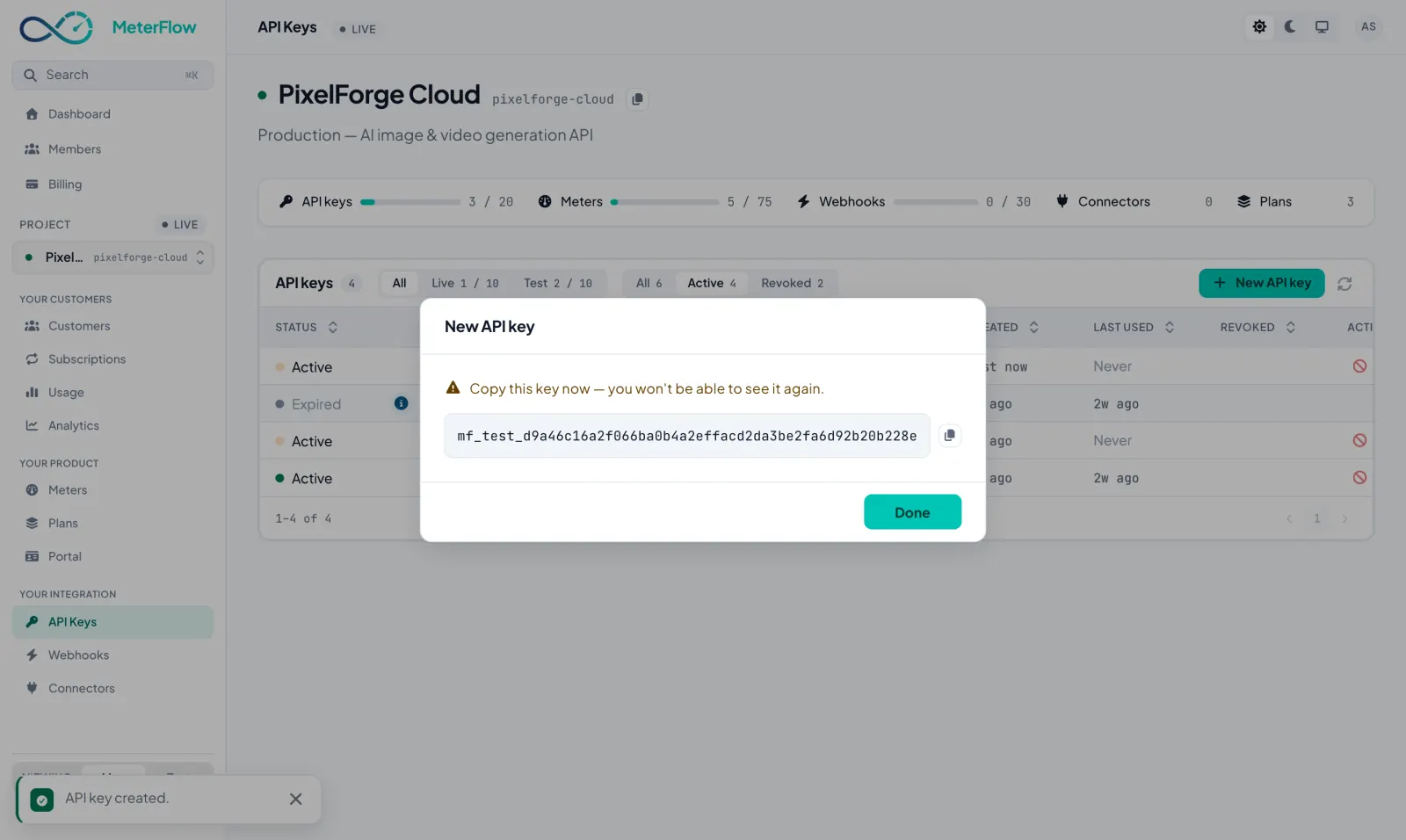
Your app talks to MeterFlow with an API key created on this screen. Pick test or live, copy the key once, and it is never shown again — MeterFlow keeps only a fingerprint of it, so even a stolen database contains nothing worth stealing.
When you are here: wiring up the SDK on day one — and revoking a key the moment you suspect it leaked.
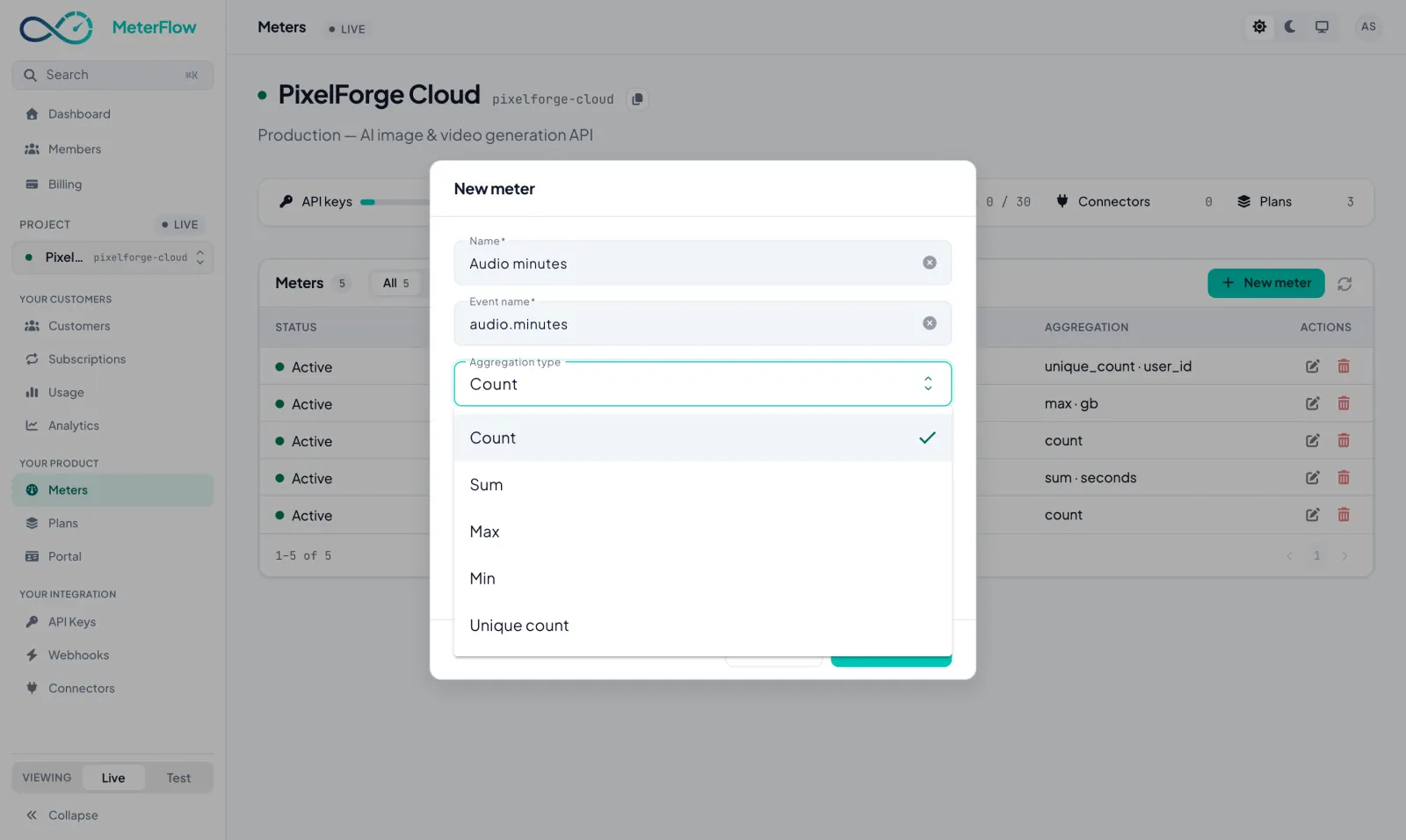
A meter is one countable thing — images generated, minutes transcribed, seats used. Decide whether events are counted or summed, keep the highest or lowest, or count distinct values, and every usage report from your app lands against the right meter from then on.
When you are here: before launch — and again whenever you ship a new billable feature.
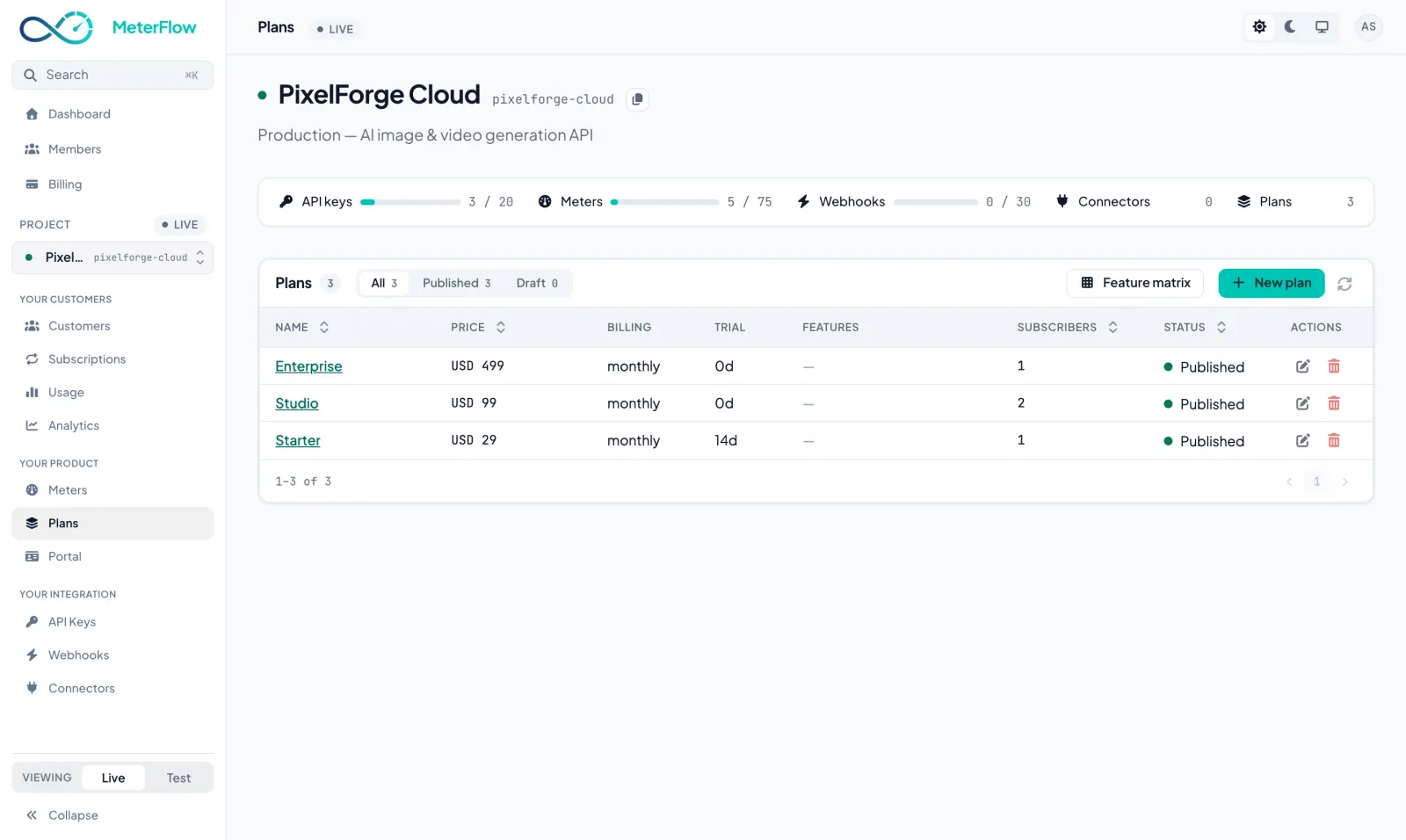
A plan is a price, a billing period and how much of each meter is included. Attach per-meter limits — 5,000 images, 300 minutes — and what you sell finally lives in one place instead of a pricing page, a spreadsheet and somebody’s memory.
When you are here: pricing day, repricing day, and every “can we do a custom deal?” in between.
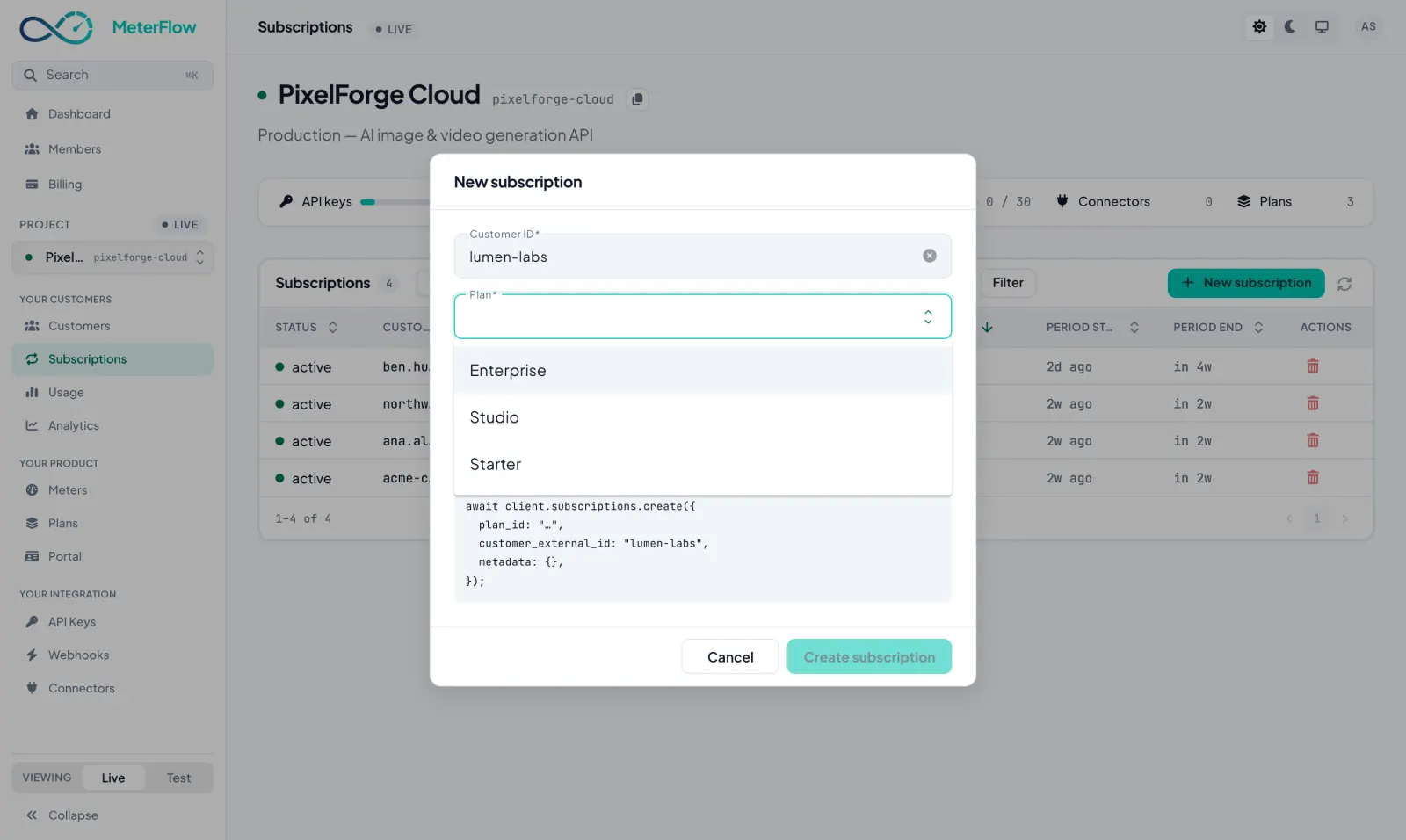
A subscription puts one customer on one plan from a date, and renews itself. Normally your app creates these through the SDK when somebody signs up — this screen is where you see them all, and where you step in by hand when support needs it.
When you are here: checking a customer’s plan, giving them one or cancelling it, without asking engineering.
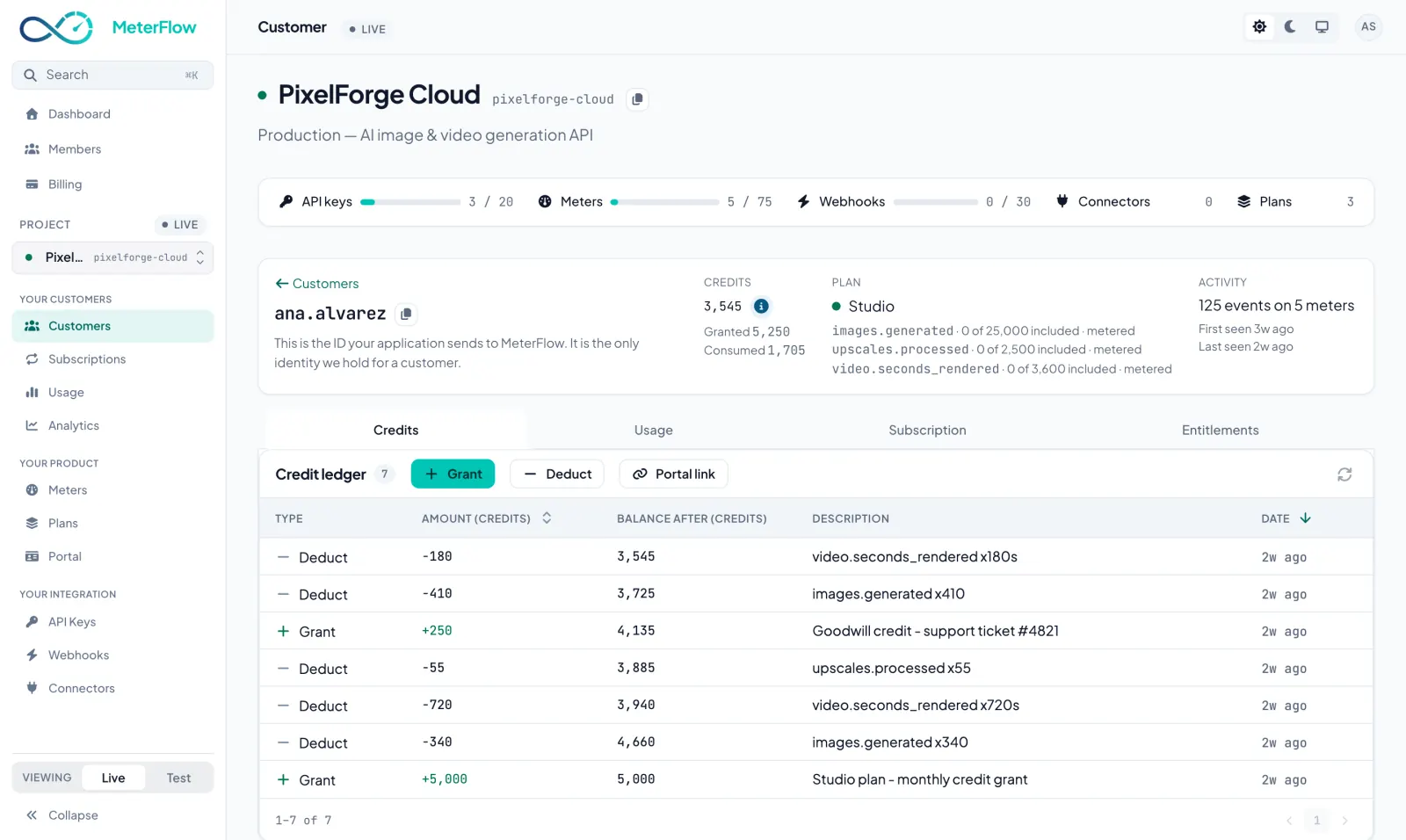
Open a customer from the Customers table and their page holds everything — Credits, Usage, Subscription and Entitlements, one tab each. The Credits tab reads the balance and every line that produced it — each with a date, an amount and a reason, none of them editable, ever. Grant a goodwill credit on the spot and it joins the same permanent list.
When you are here: the moment “why is my bill this much?” lands in the inbox. This screen is the answer.
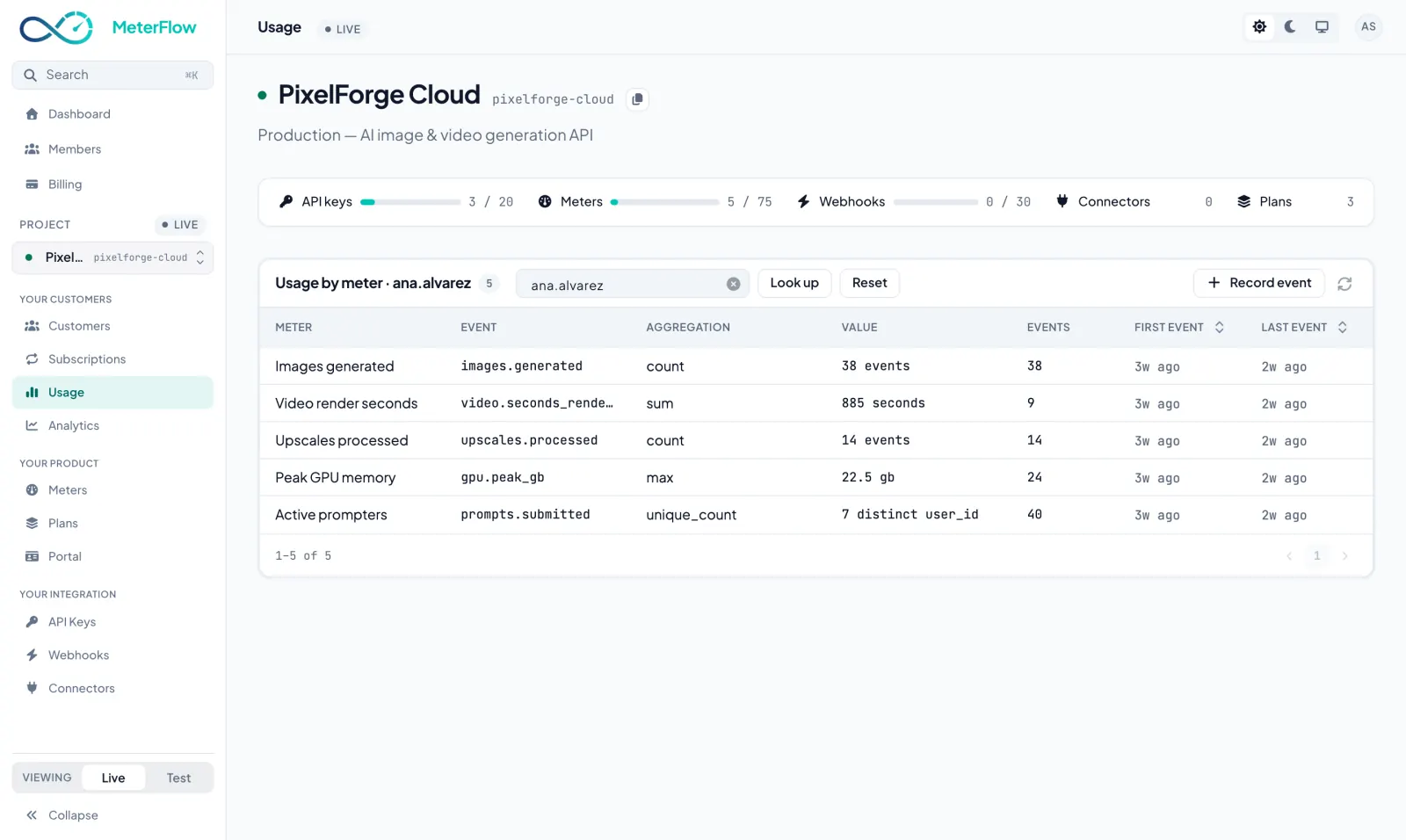
The same numbers your invoices are built from, broken down by meter. You can even record an event by hand — the quickest way to check your integration end to end before a single line of production code exists.
When you are here: verifying the wiring on day one, and investigating any surprising spike after.
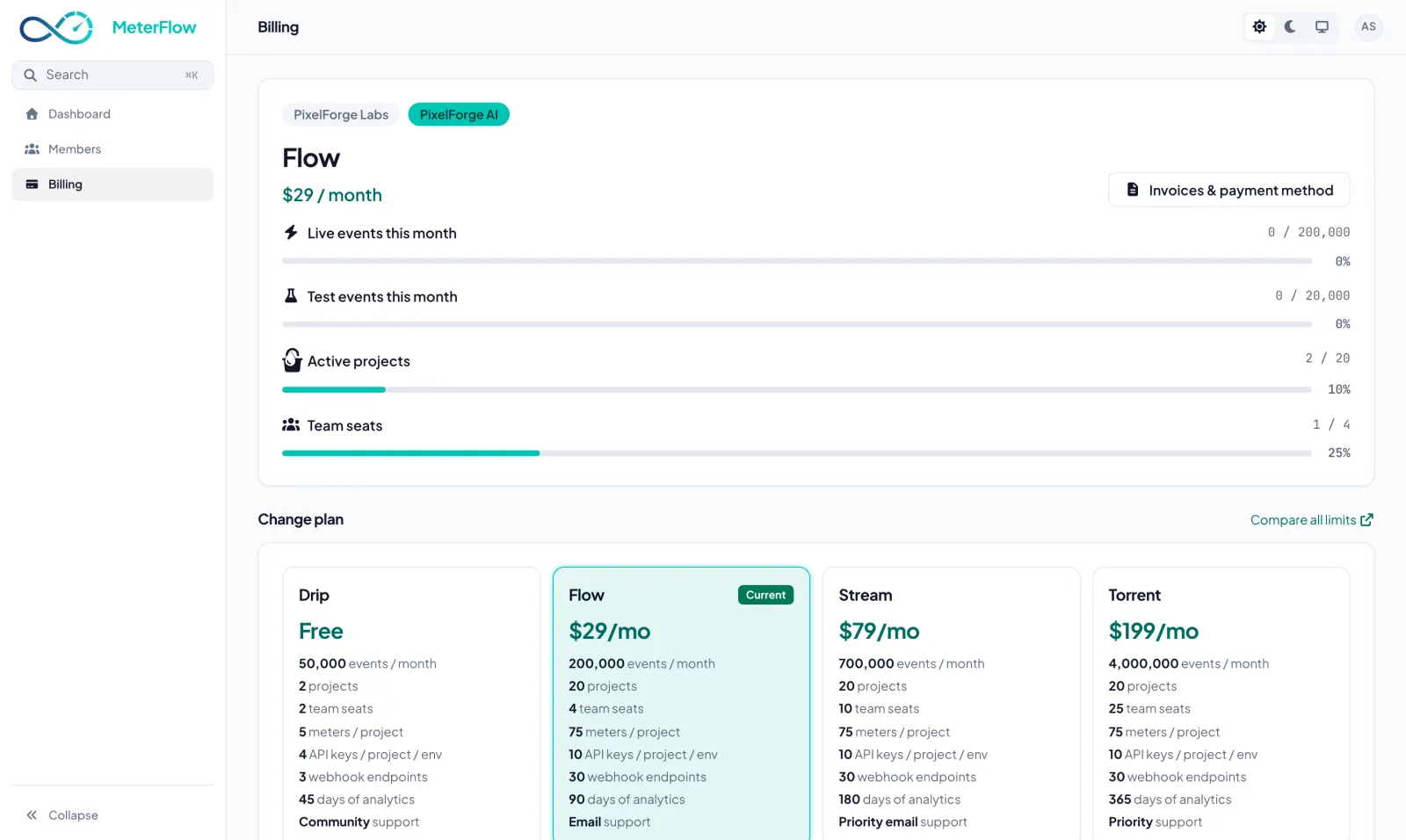
Everything so far was about your customers. This screen is about you: which MeterFlow tier each organisation is on, how much of this month’s live and test events, projects and team seats it uses against that tier, and the four tiers side by side — with the one that fits flagged once a limit is reached. Upgrade or downgrade here — no sales call, and every feature is on every tier.
When you are here: when the usage bar creeps towards the top, or a new product needs more projects than the free tier allows.
The first four you do once, by hand, in the dashboard — an afternoon, mostly spent deciding your prices. The last two happen every time a customer signs up, so your app does them through the SDK.
Create an account, make a project, copy a key. The tour you have just read is the entire learning curve — everything else is your product doing the talking.
 MeterFlow